BlurTool: blur faces and license plates — locally, without the cloud.
AI detects people, vehicles, two-wheelers and license plates in photos and videos and anonymizes them automatically. The computation runs on your own machine: no upload, no account.
Demo with the full feature set — exports only carry a watermark. Download and licences at blurtool.de.
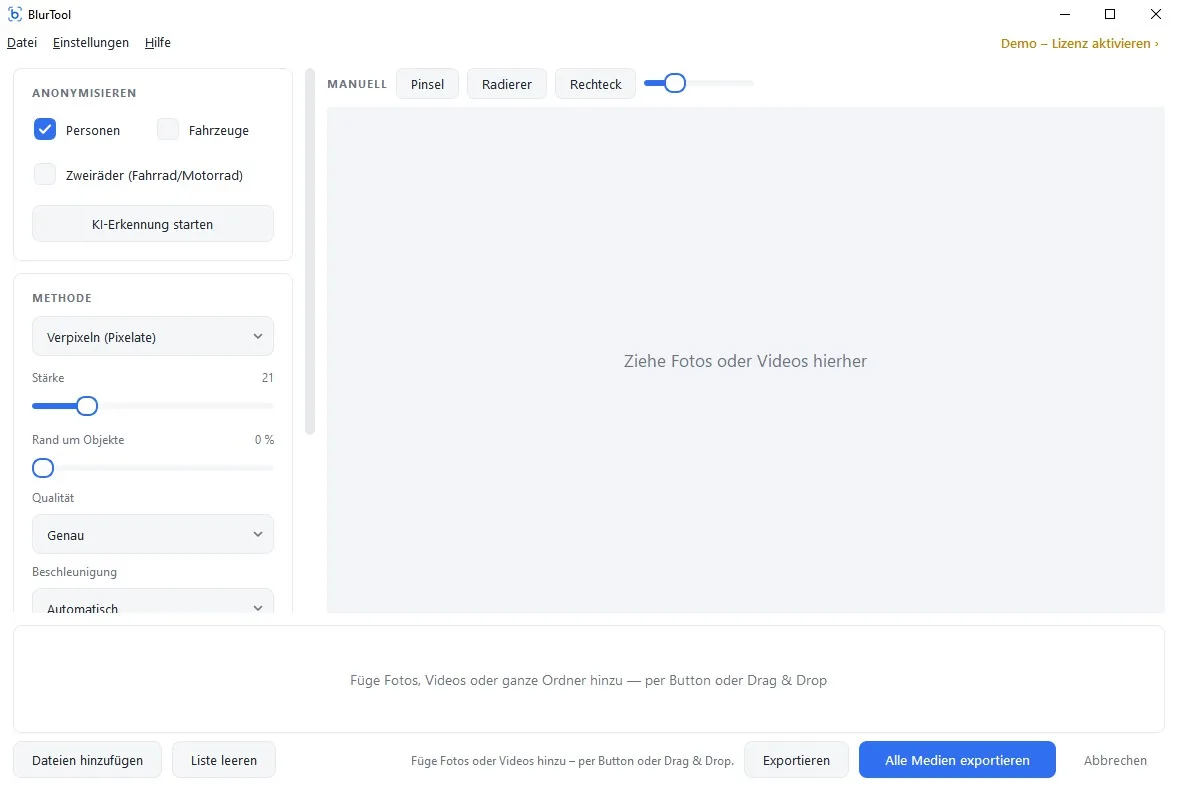
What BlurTool does
Blurring faces sounds trivial — until you have a thousand photos. BlurTool grew out of our own practice: anyone producing 360° imagery for Street View, virtual tours and building documentation has to anonymize every person and every plate before publication. By hand that is unaffordable. So we built the tool we needed ourselves.
Detects people, vehicles, two-wheelers, license plates
AI models for faces, full bodies, vehicles, two-wheelers (bicycles and motorcycles) and license plates — individually switchable, with adjustable sensitivity.
Photos, 360° panoramas and video
JPG, PNG, equirectangular panoramas and video footage in a single pass.
GPU-accelerated
Uses NVIDIA, AMD or Intel. Without a dedicated GPU it still works — just slower.
Batch processing
Entire folders with hundreds of captures at once. Output to a target folder; originals stay untouched.
Manual refinement
Mark what was missed, remove false positives, black out regions permanently. You keep control over every image.
Fully offline after activation
BlurTool needs the internet only for download and licence activation.
Why on-device?
The decisive difference is not detection quality but the path your data takes. Cloud anonymizers demand exactly what you are trying to protect: you upload unblurred material to someone else’s servers and hand over processing.
BlurTool inverts that. The material stays on your drive, processing runs on your hardware, and no data transfer arises that you would have to document or justify.
Cloud service
- Raw images are uploaded to the provider
- Data-processing agreement required
- Server location and retention periods to check
- Recurring cost per image or month
- Throughput depends on your connection
BlurTool · on-device
- No image leaves the machine
- No contract with third parties needed
- Works offline, too
- Buy once, no subscription
- Throughput depends on your hardware
Try it, then decide
Demo
Free
The free demo processes your real material with the full feature set and only places a watermark on the result. That lets you verify detection quality on your own footage and your own hardware before any money changes hands.
Download demoFull version
Buy once
from €99 net · licences at blurtool.de
The full version is a one-time purchase, not a subscription: buy a licence, activate it, and keep working offline.
Licence at blurtool.deSystem requirements
- System
- Windows 10 or 11 (64-bit)
- Graphics card
- Optional — NVIDIA, AMD or Intel (DirectX 12), no CUDA required
- Internet
- Only for download and licence activation
- Formats
- JPG, PNG, 360° panoramas, video
macOS and Linux are currently not supported.
Who uses BlurTool
Street View and 360° photographers
Anonymize before uploading to Google Street View — no waiting queue, no third-party service inside your workflow.
Municipalities and public authorities
Publish imagery from site inspections, building files and documentation in a GDPR-compliant way.
Industry and construction documentation
Release site and plant photography containing staff and vehicles without bypassing works councils or data protection officers.